> ## Documentation Index
> Fetch the complete documentation index at: https://flatfile.com/docs/llms.txt
> Use this file to discover all available pages before exploring further.
# Plugins
> Notable additions and updates to Flatfile plugins
A new Data Checlist Document type has been added to the `@flatfile/plugin-space-configure` package, providing an automated way to include a Data-Checklist document in your space.
To create a Data Checklist Document simply add the `data-checklist` treatment to your document.
```ts theme={null}
import { configureSpace } from "@flatfile/plugin-space-configure"
export default function (listener) {
listener.use(
configureSpace({
workbooks: [...]],
documents: [
{
title: "Data Quality Checklist",
body: "# Data Quality Requirements\n\nBelow is the current status of your data:",
treatments: ["data-checklist"]
}
]
})
)
}
```
`@flatfile/plugin-automap@0.7.0` The release updates the
@flatfile/plugin-automap package to version 0.7.0. The bundler for the package
has been swapped from Parcel to tsup. The @flatfile/util-common dependency has
been updated to version 1.5.0. The package now uses an ES module build with
different entry points for Node.js and browser environments. The build scripts
have been updated to use tsup instead of Parcel. Additional scripts for linting
and checking have been added. The package.json file has been updated with the
new build output paths and formats. The Jest configuration file has been renamed
from jest.config.js to jest.config.cjs to support the ES module build. For
developers using this package, the import paths may need to be updated based on
the new module entry points.
@flatfile/plugin-convert-openapi-schema\@0.3.2 Updated the plugin to version
0.3.2. This release fixes an async/await bug in the plugin. The plugin now
properly handles asynchronous operations related to configuring the space with
OpenAPI schema. The changes include updating the index.ts file to use the
configureSpace function correctly and removing unnecessary code. The
setup.factory.ts file was refactored to handle undefined data more gracefully
when generating fields.
@flatfile/plugin-convert-yaml-schema\@0.3.2 This release includes an important
bug fix and updates several dependencies. The async/await bug in the plugin has
been resolved. Additionally, the dependency on
@flatfile/plugin-convert-json-schema has been updated to version 0.4.2. The
package.json file has been updated with new script commands for running
different types of tests (unit, e2e). The plugin's entry point (index.ts) has
been refactored to simplify the configureSpaceWithYamlSchema function, which now
uses the configureSpace function from the @flatfile/plugin-space-configure
package. The setup.factory.ts file has been updated to return a Setup object
instead of a SetupFactory, and the generateSetup function now handles schema
processing and field generation more efficiently.
@flatfile/plugin-convert-sql-ddl\@0.2.2 This release updates the
@flatfile/plugin-convert-sql-ddl package to version 0.2.2. It includes a fix for
an async/await bug. The configureSpaceWithSqlDDL function has been refactored to
use the configureSpace function from @flatfile/plugin-space-configure,
simplifying the implementation. The generateSetup function has been updated to
remove the source property from the workbook object and return a Setup type
instead of a SetupFactory type.
@flatfile/plugin-convert-json-schema\@0.4.2 This release fixes an async/await bug
in the plugin. Additionally the generateSetup function has been refactored to
handle cases where the data or data.properties is undefined, and the
partialSheetConfig.source property is no longer deleted.
@flatfile/plugin-automap\@0.6.0 This release removes the remeda dependency and
adds the modern-async dependency. It also introduces a new option
disableFileNameUpdate which disables updating the file name with automatic
mapping information. The file name update behavior previously occurred
unconditionally, but now can be controlled via this new option. There are no
changes to the external interface beyond the addition of this new option.
`@flatfile/plugin-delimiter-extractor@2.2.3`
This release corrects the DelimiterOption import.
`@flatfile/plugin-xlsx-extractor@3.1.5`
This release fixes an issue in header row logic that erred when the header row
contained non-string values and the `raw` or `rawNumbers` params were set to
true.
`@flatfile/plugin-automap@0.4.0`
Updated listener to job:updated from job:created to account for the mapping plan
now being run asynchronously. Updated the verfiyConfidentMatching from every to
some to enable more concice autoMapping
`@flatfile/plugin-xlsx-extractor@3.1.2`
`@flatfile/plugin-delimiter-extractor@2.1.1`
`@flatfile/plugin-xml-extractor@0.6.1` `@flatfile/plugin-json-extractor@0.8.1`
Extractor plugins now escape keys with special characters.
`@flatfile/util-response-rejection@1.3.4`
An adjusment has been made to ensure proper order when response rejection is
used with a Record Hook.
`@flatfile/plugin-xlsx-extractor@3.1.0`
`@flatfile/plugin-delimiter-extractor@2.1.0`
`@flatfile/plugin-xml-extractor@0.6.0` `@flatfile/plugin-json-extractor@0.8.0`
A small change has been made in the extractors to ensure the normalization of
extracted column keys.
`@flatfile/plugin-xlsx-extractor@3.0.0`
A major change has been made where the 'required' field check from extractors
and the subsequent `field.constraints.required` has been removed. This is a
breaking change if you were using this required field check in your
implementation. Source sheets no longer require the
`field.constraints.required`. If you need to implement this functionality, you
can use a listener to add the `field.constraints.required` to the specific
fields you need.
`@flatfile/plugin-delimiter-extractor@1.0.0`
`@flatfile/plugin-xml-extractor@0.5.17` `@flatfile/plugin-xlsx-extractor@2.0.0`
`@flatfile/plugin-json-extractor@0.7.6`
Extractor packages now include new features to support header selection.
Developers can enable header selection, allowing the plugin to automatically
detect and return letter headers (e.g. A, B, C) representing column indexes
instead of using the row data as headers. The release also includes dependency
updates and adds a new metadata property to the parser output containing
information about detected row headers when header selection is enabled.
This powerful new header selection capability streamlines working with
delimiter-separated data files lacking explicit column headers.
`@flatfile/plugin-job-handler@0.5.4`
In this release, the @flatfile/plugin-job-handler package introduces improved
error handling when the callback function returns an invalid job outcome. The
package now gracefully handles errors thrown by the callback function, providing
better resilience and reliability for developers using the package.
Specifically, if the callback function throws an Error, the job is now
automatically marked as failed, with the error message included in the job
outcome. This enhancement ensures that developers receive clear feedback when
issues arise during job processing, making it easier to debug and address any
problems. With this improvement, the @flatfile/plugin-job-handler package offers
a more robust and user-friendly experience for handling jobs and processing job
outcomes.
For example, if the callback function encounters an error like:
```typescript theme={null}
throw new Error("Failed to process job data");
```
The package will automatically mark the job as failed with the provided error
message:
```json theme={null}
{
"info": "Failed to process job data",
"outcome": {
"acknowledge": true,
"message": "Failed to process job data"
}
}
```
This release streamlines error handling, providing developers with a more
seamless and reliable experience when working with the
@flatfile/plugin-job-handler package.
The latest release of the @flatfile/plugin-dedupe package introduces an improved
error message when the dedupe plugin is incorrectly called from a workbook-level
action instead of a sheet-level action. This helpful error message provides a
clearer indication to developers using the package, guiding them to correctly
configure the dedupe plugin as a sheet-level action.
`@flatfile/plugin-constraints@2.0.0` `@flatfile/plugin-record-hook@1.6.0`
`@flatfile/plugin-autocast@1.0.0`
The latest release of the core packages adds support for the new string-list and
enum-list field types, allowing developers to work with these data types
seamlessly within their applications. With this release, developers can now
define constraints that validate string-list and enum-list field types,
providing greater flexibility and control over data validation processes. This
new capability streamlines the development workflow and ensures data integrity
across various use cases.
`@flatfile/plugin-job-handler@0.5.3`
In this release of the @flatfile/plugin-job-handler package, the starting
progress of the jobHandler function has been changed from 10% to 1%. This
adjustment provides a more accurate representation of the initial progress state
when using the jobHandler function. Developers can now expect the progress to
start at 1% instead of 10%, allowing for a smoother and more intuitive user
experience when handling jobs with this package.
`@flatfile/plugin-export-workbook@0.3.0`
This release adds a new optional parameter `autoDownload` to the
`@flatfile/plugin-export-workbook` package. When set to true, this parameter
will automatically download the exported Excel file after it has been uploaded
to Flatfile.
For example:
```js theme={null}
listener.use(exportWorkbookPlugin({ autoDownload: true }));
```
This gives developers more flexibility in how they handle the exported file.
`@flatfile/plugin-constraints@1.2.1`
In this release, the @flatfile/plugin-constraints package has been updated to
version 1.2.1. This update brings improved bundling for plugins and ensures
compatibility with the latest dependencies. Developers can now enjoy a more
seamless integration experience when using this powerful constraints plugin with
their Flatfile applications. Additionally, the release addresses a crucial fix
related to bundling plugins, ensuring smooth operation and enhancing the overall
developer experience. With these improvements, the @flatfile/plugin-constraints
package becomes even more robust and reliable, empowering developers to
effortlessly extend their blueprints with external constraints.
Some key changes include:
* The bundling process for plugins has been optimized, resolving any previous
issues and ensuring a smooth integration experience.
* Dependencies have been updated, including the @flatfile/plugin-record-hook
package, which is now at version 1.5.2, ensuring compatibility with the latest
releases.
To take advantage of these enhancements, developers simply need to update to the
latest version of the @flatfile/plugin-constraints package. For example:
```
npm install @flatfile/plugin-constraints@1.2.1
```
Unlock the full potential of your Flatfile applications with this improved and
streamlined constraints plugin!
`@flatfile/plugin-space-configure@0.5.0`
In this release of the @flatfile/plugin-space-configure package, we've added a
feature that allows you to maintain the order of workbooks in the Space UI
sidebar. This means you can now control the order in which your workbooks
appear, providing a more intuitive and customized experience for your users. To
enable this functionality, simply include the `maintainWorkbookOrder` option set
to `true` when configuring your space. The workbook order will then be preserved
based on the order in which the workbooks are created. This enhancement gives
you greater control over the Space UI, allowing you to tailor it to your
specific needs and provide a seamless user experience.
`@flatfile/plugin-graphql-schema@1.1.1`
This release enhances the @flatfile/plugin-graphql-schema package with a new
feature. The generateSheets function now allows filtering of GraphQL objects by
providing Sheet slugs. This improvement enables developers to have more granular
control over the mapping between GraphQL objects and Flatfile sheets, improving
flexibility and customization capabilities. For example, developers can now
specify which GraphQL objects should be included or excluded from the sheet
generation process based on their slugs:
```typescript theme={null}
const sheetConfig = sheetConfigArray?.find(
(config) => config.slug === object.name,
);
if (sheetConfigArray?.length > 0 && !sheetConfig) return;
```
With this update, the @flatfile/plugin-graphql-schema package becomes even more
powerful, offering developers a streamlined experience when working with GraphQL
schemas and Flatfile blueprints.
`@flatfile/plugin-record-hook@1.5.0`
RecordHooks now include readonly configurations. This new feature gives you more
control over how data is presented and modified in your application. Setting a
record as readonly prevents any changes from being made, while marking
individual fields as readonly allows editing for the remaining fields. To
utilize this functionality, simply call the new setReadOnly() method on a record
instance, optionally passing in field keys to specify which fields should be
readonly.
For example:
```js theme={null}
record.setReadOnly("age", "name");
```
This would make the 'age' and 'name' fields readonly for that record. This
release enhances flexibility and strengthens data integrity, enabling you to
build even more robust applications with Flatfile's powerful data management
tools.
`@flatfile/plugin-xlsx-extractor@1.11.6`
This release enhances the xlsx extractor plugin with improved debug messaging
and a new option for configuring header detection. When running in debug mode,
developers will now see helpful log messages indicating which sheet is being
processed and what headers were detected. Additionally, a new
`headerDetectionOptions` option has been added to the `ExcelExtractorOptions`
interface, allowing consumers to customize the algorithm used for detecting
headers in their Excel files. This gives users more control over how headers are
identified, improving compatibility with different spreadsheet formats. Overall,
these changes provide better visibility into the extraction process and more
flexibility for handling diverse Excel data sources.
**🚀 GraphQL to Flatfile Blueprint is now available with
@flatfile/plugin-graphql-schema\@1.0.0 🚀**
`@flatfile/plugin-graphql-schema` provides a robust solution for leveraging
GraphQL data structures within Flatfile, enhancing data management capabilities
and adaptability.
* Dual Functionality: The newly released GraphQL to Flatfile Blueprint plugin
offers versatile integration options for your Flatfile workspace. Use it to
either generate a Flatfile Blueprint directly from GraphQL or configure a
Flatfile Space using GraphQL, streamlining your data integration processes.
* Flexible Input Sources: The plugin supports multiple methods for supplying
GraphQL data:
* API Endpoint: Connect directly to a GraphQL API to fetch data.
* Schema File: Upload a GraphQL schema file.
* Custom Callback: Implement a custom callback function for advanced data
handling and customization.
See the [docs](https://www.npmjs.com/package/@flatfile/plugin-graphql-schema).
`@flatfile/util-common@1.1.1`
The common utils now include a new `deleteRecords` utility. This streamlines the
creation of the delete records job, which is a common use case and more
appropriate for bulk deletion of records.
`@flatfile/plugin-dedupe@1.0.0`
The deduplication capability of @flatfile/plugin-dedupe has been expanded beyond
the initial 10,000 records limit. Now, it effectively dedupes the entire sheet,
ensuring comprehensive data integrity across larger datasets. Additionally, with
the latest update, @flatfile/plugin-dedupe can create bulk record deletion jobs,
streamlining the process of removing duplicates and optimizing performance.
`@flatfile/util-common@1.0.1`
This release replaces the `api.records.get` on @flatfile/api with a fetch to the
GET records endpoint. This significantly improves large response times.
`@flatfile/xlsx-extractor@1.11.2`
This update addresses an issue with how columns were managed when encountering
blank header columns. Previously, the last column was incorrectly removed in
such cases. Now, the column with the blank header is precisely identified and
removed, ensuring more accurate data representation and integrity in your
workflows.
`@flatfile/plugin-foreign-db-extractor@0.0.2`
* Improved Error Handling: This release enhances the error management
capabilities of the plugin, ensuring more robust and informative error
responses during data extraction processes.
* Accurate File Status Updates: Upon successful job completion, the file status
is now correctly updated, providing clear visibility and tracking of job
outcomes.
* Enhanced Database Availability Checks: Recognizing the potential delays in
database readiness, the plugin now includes polling mechanisms for database
users. This ensures that operations proceed only when the restored database is
fully available, enhancing the reliability of data interactions.
`@flatfile/plugin-record-hook@1.4.5`
This release brings improvements and optimizations to enhance performance and
functionality: **Smart Change Detection:** The plugin now intelligently compares
original and modified values to identify actual changes. If there's no change (a
no-op situation), it avoids unnecessary record updates, enhancing efficiency and
better supporting trackChanges.
**UMD Build Availability:** A UMD build is now included, expanding compatibility
across different module systems and environments.
**Slimmer Node.js Build:** The Node.js build has been optimized to reduce its
size, improving load times and resource usage.
**Removal of Axios Dependency:** We've eliminated the Axios dependency in favor
of native solutions, streamlining the library and reducing external
dependencies. Custom Concurrency Control: The plugin now implements its own
concurrency control mechanism, moving away from reliance on external libraries.
This bespoke solution is tailored to the specific needs of record hook
operations, enhancing stability and performance.
These updates mark a step forward in optimizing @flatfile/plugin-record-hook for
developers and ensuring seamless integration into your data processing
workflows.
[Learn more in the docs](https://flatfile.com/plugins/plugin-record-hook).
`@flatfile/plugin-export-workbook@0.1.6`
This update introduces several enhancements to improve your data export
workflows:
**Sheet-Specific Exports:** Users now have the flexibility to export individual
sheets within a workbook, providing greater control over data management and
distribution.
**Customizable Job Names:** To further personalize your workflow, this version
allows you to specify custom job names, offering an alternative to relying on
the default naming convention.
**Enhanced Character Checks:** We've implemented additional checks for
characters that might not be recognized by Excel, reducing the likelihood of
errors after exporting the workbook.
These improvements are designed to make your data export process more efficient
and tailored to your specific needs.
[Learn more](https://flatfile.com/plugins/plugin-export-workbook/) about
exporting workbooks with @flatfile/plugin-export-workbook
`@flatfile/plugin-webhook-egress@1.2.3`
The latest version introduces key improvements for enhanced functionality and
user experience:
**Switch to Fetch:** In this version, we've transitioned from using axios to
fetch for HTTP requests, streamlining the library's usage across different
environments. Browser Compatibility: The plugin is now fully compatible with
browser environments, extending its utility beyond server-side applications.
**Enhanced Response Rejection Handling:** The integration of our response
rejection utility allows for sophisticated post-webhook action decisions.
Following a webhook egress, the utility analyzes the response to determine
whether to delete records that were successfully submitted or to mark them with
a status column reflecting their outcome. It also allows specifying custom error
messages for fields within records that encountered rejections.
This update aims to offer more flexibility, reliability, and broader
applicability of the webhook egress plugin, ensuring seamless integration into
your data workflow.
[Learn more in the docs](https://flatfile.com/plugins/plugin-webhook-egress/)
`@flatfile/plugin-autocast@0.7.6`
0.7.6 introduces string casting capabilities to the autocast plugin. With this
new feature, numbers and booleans can now be automatically converted to strings,
making it easier to manage data types across your applications.
This enhancement is particularly useful in conjunction with the rawNumbers
property found in `@flatfile/plugin-xlsx-extractor`, where numeric values
extracted from documents can be seamlessly transformed into string fields for
consistency and ease of use.
[Learn more](https://flatfile.com/plugins/plugin-autocast)
`@flatfile/plugin-delimiter-extractor@0.9.1` &
`@flatfile/plugin-xlsx-extractor@v1.11.3`
New header logic has been added to the @flatfile/plugin-delimiter-extractor and
@flatfile/plugin-xlsx-extractor. This update brings our extractors in line with
Flatfile's core header detection capabilities, offering three distinct header
detection strategies: `default`, `explicitHeaders`, and `specificRows`.
By employing the default strategy, the extractors now automatically scan the
first 10 rows of your file to identify the header row based on the highest count
of non-empty cells.
[Discover more](https://flatfile.com/plugins/plugin-xlsx-extractor) about these
enhanced header detection options and how they can streamline your data import
processes.
`@flatfile/plugin-xlsx-extractor@1.11.3`
This release brings essential updates and improvements to enhance your
experience with Excel file extractions:
**File Size Detection:** The plugin now actively detects when a file is too
large for extraction, guiding users to opt for CSV uploads for better handling.
**Date Format Specification:** Introducing the dateNF parameter, enabling users
to define specific date formats for Excel file parsing (e.g., yyyy-mm-dd),
ensuring that dates are correctly recognized and formatted.
**Handling Empty Sheets:** Previously, empty sheets within Excel files would
result in errors. With this update, the plugin gracefully handles such cases by
appropriately failing the job without causing unexpected errors.
These improvements are aimed at providing a more robust, user-friendly
experience for working with Excel files, ensuring data integrity and easing the
extraction process.
[Learn more about the improvements](https://flatfile.com/plugins/plugin-xlsx-extractor)
**🚀 Introducing @flatfile/plugin-convert-yaml-schema 🚀**
`@flatfile/plugin-convert-yaml-schema` automates the process of converting YAML
into the Flatfile Blueprint.
To get started, simply provide a sourceUrl of your schema, and wrap it with the
plugin:
```jsx theme={null}
listener.use(
configureSpaceWithYamlSchema([{ sourceUrl: "https://example.com/yaml" }]),
);
```
Additionally, you can enhance the experience with a few optional parameters:
* `options.workbookConfig`: The options.workbookConfig parameter allows you to
incorporate other optional Workbook configurations seamlessly.
* `options.debug`: Toggle the options.debug parameter on/off to access helpful
debugging messages for development purposes.
* `callback`: The callback parameter, which receives three arguments—event,
workbookIds, and a tick function—empowers you with the ability to update the
Job's progress. Note: This callback function is invoked once the Space and
Workbooks are fully configured.
With the `@flatfile/plugin-convert-yaml-schema`, you can simplify the schema
conversion process—all in one powerful package.
Check out the [docs](https://flatfile.com/plugins/plugin-convert-yaml-schema).
**🚀 Introducing @flatfile/plugin-convert-json-schema 🚀**
`@flatfile/plugin-convert-json-schema` automates the process of converting JSON
Schema into the Flatfile Blueprint.
To get started, simply provide a sourceUrl of your schema, and wrap it with the
plugin:
```jsx theme={null}
listener.use(
configureSpaceWithJsonSchema([
{ sourceUrl: "https://example.com/customer.schema.json" },
]),
);
```
Additionally, you can enhance the experience with a few optional parameters:
* `options.workbookConfig`: The options.workbookConfig parameter allows you to
incorporate other optional Workbook configurations seamlessly.
* `options.debug`: Toggle the options.debug parameter on/off to access helpful
debugging messages for development purposes.
* `callback`: The callback parameter, which receives three arguments—event,
workbookIds, and a tick function—empowers you with the ability to update the
Job's progress. Note: This callback function is invoked once the Space and
Workbooks are fully configured.
With the `@flatfile/plugin-convert-json-schema`, you can simplify the schema
conversion process—all in one powerful package.
Check out the [docs](https://flatfile.com/plugins/plugin-convert-json-schema).
`@flatfile/plugin-json-extractor@0.1.1`
The JSON extractor now intelligently flattens nested objects, combining their
field keys into a single, structured format until it reaches a primitive type,
making data extraction more comprehensive and user-friendly.
`@flatfile/plugin-record-hook@1.1.11`
In a recent update, we introduced a comparison mechanism to track changes
between original and modified values, ensuring that records were only updated
when both value and messages had changed. However, this approach unintentionally
excluded updates to metadata when no changes were detected in value or messages.
In this version, we've refined the process by comparing the entire original
record object with the modified record object. This ensures that no updates,
including metadata changes, are left unaccounted for, regardless of whether
there were changes in the value or message fields. Your records are now more
comprehensively managed and updated.
`@flatfile/plugin-record-hook@1.1.10`
Previously, there was an issue with completing commits while using the
`@flatfile/api` client-side, which led to the error message "Cannot read
properties of undefined (reading 'get')." To address this problem, we've made a
swift and effective transition to using fetch. Soon, we plan a more
comprehensive solution.
`@flatfile/plugin-record-hook@1.1.9`
* Previously, an issue arose when attempting to complete a commit with the
`trackChanges` flag (a Workbook setting to disable actions on Sheet and
Workbook when there is a commit that has not been completed) disabled on the
Workbook. This issue has been resolved, and commits are now exclusively
triggered when the `trackChanges` feature is enabled for the Workbook.
* Additionally, we've implemented an advanced deep comparison method between the
original record and the potentially modified record. This enhancement
guarantees that only essential patches for updated records are transmitted,
resulting in a notably more efficient and precise data update process.
`@flatfile/plugin-export-workbook@0.0.8`
When exporting a workbook, a job completion message is now available with an
added feature. You can now include a "Next" URL within the job completion
message, providing a seamless transition to the next step in your workflow.
`@flatfile/plugin-export-workbook@0.0.7`
In this update, we've made several valuable improvements to enhance your
experience:
**Export Record ID Option**: You can now utilize an optional flag to export the
Record ID, adding flexibility and precision to your exports.
**Column Pattern Generator Fix**: We've addressed and fixed issues related to
the column pattern generator, ensuring accurate and reliable data generation.
**Column Count per Sheet**: We're now passing the column count to the generator
for each sheet, optimizing data handling for your specific needs.
**Improved Error Handling**: We've refined error handling to ensure that jobs
are properly marked as failed in case of errors, providing better transparency
and control.
**File Cleanup**: To keep your Space clean and efficient, files are now
automatically deleted after they have been successfully uploaded, promoting tidy
data management.
These updates collectively contribute to a smoother and more efficient workflow
for your tasks.
`@flatfile/plugin-extractor-xlsx@1.8.0`
In this version, we've added a valuable enhancement to the Excel Extractor by
exposing SheetJS's "raw" option. This option empowers users to preserve
formatted text by default. When `raw` is set to true, the extractor will return
the raw value, offering greater flexibility and control over extracted data.
`@flatfile/plugin-automap@0.1.1`
Previously, initiating the "import" process, whether by dropping a file into a
sheet or clicking the "Import" button from a file, created an unintended
secondary `workbook:map` job. This secondary job was detected by the automap
plugin, leading to duplicate entries in a sheet.
In this version, we've introduced a solution to address this issue. We've added
an "isAutomap" flag to the job's input, which allows the automap plugin to
filter jobs accordingly. If the "isAutomap" flag is not provided, the automap
plugin will gracefully exit, ensuring a more streamlined and error-free
workflow.
`@flatfile/plugin-automap@0.1.1`
Previously, when initiating the "import" process, which could be triggered by
either dropping a file into a sheet or clicking the "Import" button from a file,
a secondary `workbook:map` job was created. This unintentionally triggered the
automap plugin, leading to duplicate entries within a sheet.
In response to this issue, this version introduces an `isAutomap` flag within
the job's input. The inclusion of this flag allows the automap plugin to apply
appropriate filtering. If the flag is not provided, automap will gracefully exit
without processing the job, thereby resolving the issue of duplicate entries in
the sheet.
`@flatfile/plugin-automap@0.1.0`
Previously, the Automap plugin exclusively matched the `defaultTargetSheet` with
the `sheet.name` or `sheet.id`. In this update, we have expanded the matching
capability to include the `sheet.slug`. This enhancement provides greater
flexibility and precision when configuring default target sheets within the
Automap plugin. This improvement is especially beneficial when you need to pass
something like the sheet name + filename dynamically, making the mapping process
even more versatile.
`@flatfile/util-extractor@0.4.5`
`util-extractor` is a crucial dependency used in all extractor plugins. We've
made an important fix on the import method across all extractor plugins. If you
previously encountered the following error message, you can now resolve this
issue by updating to the latest extractor version.
```ssh theme={null}
Module not found: Error: Can't resolve '@flatfile/api/api'
```
`@flatfile/plugin-space-configure@0.1.4`
An improvement was made to allow for configuring Spaces with no Workbooks.
**Major (Agent) Plugin-based Extraction Speed Improvements Just Went Live**
We noticed the record insert portion of extraction taking far longer in plugins
than in the core platform (with CSVs). We had to get to the bottom of why there
was such a disparity and we're thrilled to say we have a solution. **We're
seeing a 700k file that once took between 10-12 mins now only takes 1-1.5 min!**
But wait, there's more:
Additionally, end users will now get updated percentages during the upload
process and will receive a success message when the file is successfully
extracted.
Upgrade your extractor(s) to the latest to enjoy this optimization:
* `@flatfile/plugin-xlsx-extractor@1.7.5`
* `@flatfile/plugin-delimiter-extractor@0.7.3`
* `@flatfile/plugin-json-extractor@0.6.4`
* `@flatfile/plugin-pdf-extractor@0.0.5`
* `@flatfile/plugin-xml-extractor@0.5.4`
* `@flatfile/plugin-zip-extractor@0.3.7`
`@flatfile/plugin-psv-extractor@1.6.0` & `@flatfile/plugin-tsv-extractor@1.5.0`
We're excited to announce that PSV and TSV file types, previously reliant on
plugins, are now natively supported by the Flatfile Platform! 🚀
As part of this enhancement, we've marked these plugins as deprecated.
Developers will receive a friendly console log notification, making it clear
that these plugins are no longer needed. Enjoy the streamlined experience!
🚀 **Introducing `@flatfile/util-response-rejection`**
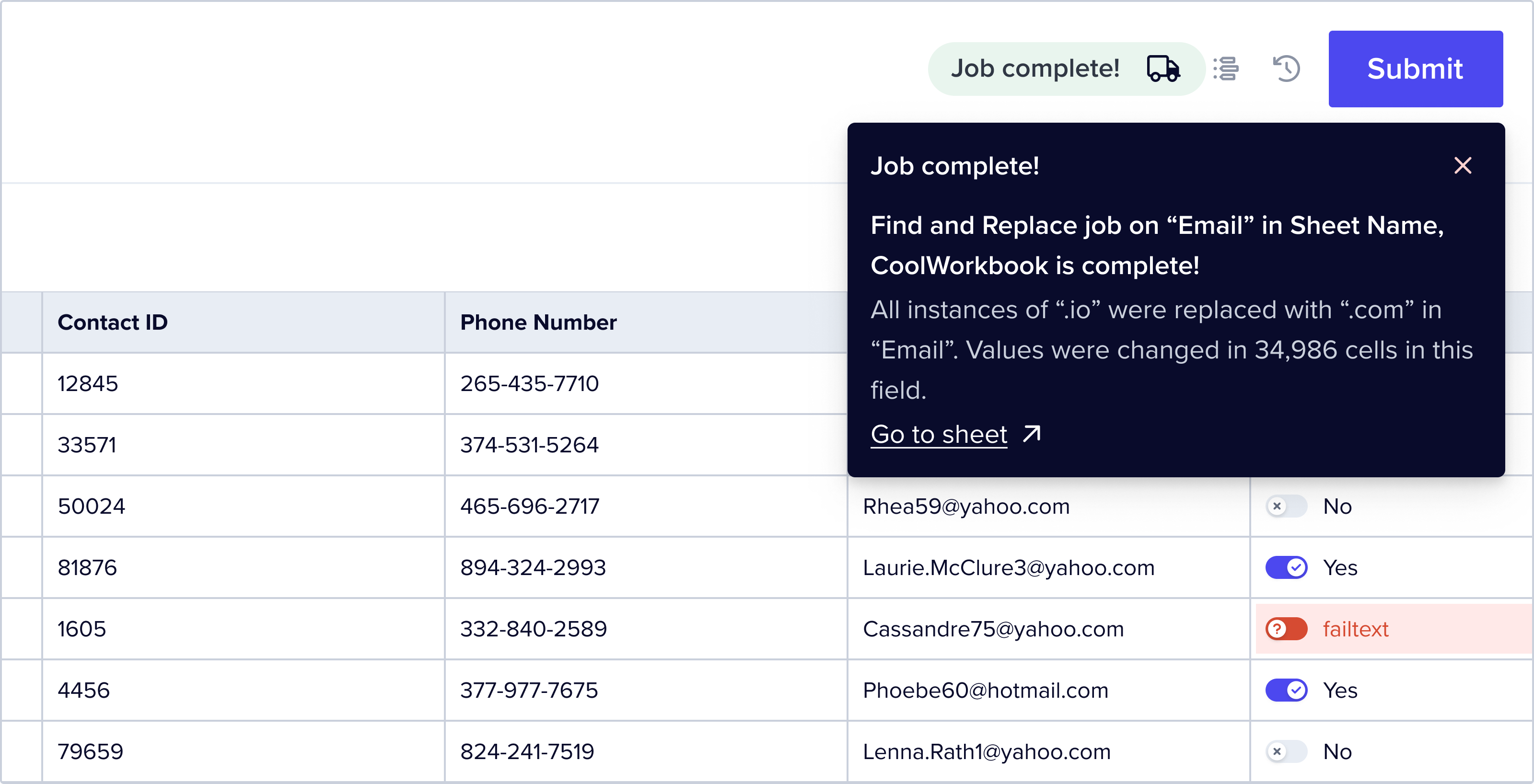 Meet `@flatfile/util-response-rejection`, a new utility for showcasing rejected
Records *from an external API* to your customers. Managing rejected data during
egress is vital for maintaining data accuracy, and this utility simplifies the
entire process, ensuring a smoother experience for handling these instances.
Here's what it does:
1. Takes a `RejectionResponse` containing rejected Records and a rejection
message.
2. Locates the corresponding Record and adds the rejection message as an error
to the Record cell.
You can also utilize this utility directly with any listener.
Learn more in the [docs](https://flatfile.com/plugins/util-response-rejection/).
`@flatfile/plugin-extractor-___`
All extractors have been fine-tuned to seamlessly handle extractions within a
job, allowing the plugin more time to complete the extraction with less risk of
the Agent timing out.
Additionally, we've resolved a bug that was causing extractions to falsely
indicate completion when running in parallel, ensuring extraction truly finishes
before signaling completion.
`@flatfile/plugin-autocast@0.2.2`
Dates that were cast to a UTC string using the autocast plugin were showing as
invalid after transformation. A fix for this was added to version 0.2.2.
[Learn more](https://flatfile.com/plugins/plugin-autocast).
`@flatfile/plugin-autocast`
In the most recent update, we've introduced some exciting enhancements. You can
now implement an optional `fieldFilter` to specify which fields autocast should
operate on.
Check it out:
```jsx theme={null}
listener.use(autocast({ sheetSlug: "bar" }, ["numberField", "dateField"]));
```
[Learn more](https://flatfile.com/plugins/plugin-autocast).
🚀 **Introducing `@flatfile/plugin-autocast`**
Effortlessly transform data in your Sheets to align with the field types
specified in the Blueprint.
Supported field types:
* **Numbers:** String numbers ('1'), string decimals ('1.1'), and string numbers
with commas ('1,000') are interpreted as numbers.
* **Booleans:**
* Truthy values: '1', 'yes', 'true', 'on', ' ', 'y', and 1.
* Falsy values: '- ', '0', 'no', 'false', 'off', ' ', 'n', 0, -1.
* **Dates:** Date strings and numbers are cast to a UTC string (note:
`YYYY-MM-DD...` is interpreted as an ISO 8601 date and is treated as treated
as UTC, while other formats are treated as local time and converted to UTC).
* '2023-08-16' => 'Wed, 16 Aug 2023 00:00:00 GMT'
* '08-16-2023' => 'Wed, 16 Aug 2023 00:00:00 GMT'
* '08/16/2023' => 'Wed, 16 Aug 2023 00:00:00 GMT'
* 'Aug 16, 2023' => 'Wed, 16 Aug 2023 00:00:00 GMT'
* 'August 16, 2023' => 'Wed, 16 Aug 2023 00:00:00 GMT'
* '2023-08-16T00:00:00.000Z' => 'Wed, 16 Aug 2023 00:00:00 GMT'
* 1692144000000 => 'Wed, 16 Aug 2023 00:00:00 GMT'
Note: **@flatfile/plugin-record-hook** listens for the same event type
(commit:created). Plugins will fire in the order they are placed in the
listener.
Check out the [docs](https://flatfile.com/plugins/plugin-autocast).
🚀 **Introducing `@flatfile/plugin-jobs-handler`**
Our latest plugin, `@flatfile/plugin-jobs-handler`, streamlines handling
Flatfile Jobs, which are a large unit of work performed asynchronously on a
resource such as a file, Workbook, or Sheet.
**Options at your fingertips:**
* Update Job progress using `await tick(progress, message)`, returning a promise
for `JobResponse`.
* `opts.debug` Enable debug logging for the plugin
To get started simplifying the management of your Jobs, explore the
[README](https://flatfile.com/plugins/plugin-job-handler/).
🚀 **Introducing `@flatfile/plugin-space-configure`**
Streamline the dynamic setup of new Flatfile Spaces with
`@flatfile/plugin-space-configure`.
**How it works:**
* The `setup` parameter holds the Blueprint for the new Space.
* And the `callback` parameter (invoked once the Space and Workbooks are fully
configured) receives three arguments:
1. `event`
2. `workbookIds`
3. Using the `@flatfile/plugin-jobs-handler` under the hood, the `tick` function
can be used to update the Job's progress.
To simplify auto-configuring your Spaces, explore the
[README](https://flatfile.com/plugins/plugin-space-configure/).
**All extractors now support `chunkSize` and `parallel`**
A new version of an underlying utility (`@flatfile/util-extractor`) introduces 2
new options for extracting records in all extractor plugins:
* `chunkSize`: (Default: 3,000) Define how many records you want to process in
each batch. This allows you to balance efficiency and resource utilization
based on your specific use case.
* `parallel`: (Default: 1) Choose whether the records should be processed in
parallel. This enables you to optimize the execution time when dealing with
large datasets.
*Note: Previously, we were extracting with a chunkSize of 1,000.*
**Ex: Excel Usage: (See
[docs](https://flatfile.com/plugins/plugin-xlsx-extractor))**
```ts theme={null}
listener.use(ExcelExtractor({ chunkSize: 300, parallel: 2 }));
```
If you update your extractor plugin to the latest, you will receive these new
options.
`@flatfile/plugin-delimiter-extractor`
Now that the platform includes native support for TSV and PSV files, developers
are no longer required to use a plugin specifically for these formats. As a
result of this enhancement, the documentation for the
`@flatfile/plugin-delimiter-extractor` has been revised to reflect this update.
For users who are already utilizing or have integrated a plugin for TSV and PSV
files, there's no need to worry about any disruptions. While the extraction will
occur twice, resulting in a "extraction complete" status being displayed twice,
the process remains functional and intact.
**🚀 Introducing `@flatfile/plugin-pdf-extractor`**
Our latest plugin, @flatfile/plugin-pdf-extractor, introduces the power of
parsing .pdf files in Flatfile.
Learn more in the [docs](https://flatfile.com/plugins/plugin-pdf-extractor).
**🚀 Major Extractors Enhancement 🚀**
All extractors now come with a powerful new capability: **Smart file parsing
that automatically detects the best headers**.
* **Advanced Algorithm**: When extractors do not receive explicit mapping
guidance, they leverage a sophisticated algorithm to discern the optimal
headers from your data. This is achieved by examining the first 10 rows and
selecting the row with the most non-empty cells as the header.
* **Traditional Header Parsing**: Files where the first row serves as the header
will continue to function seamlessly. However, extractors can now handle
scenarios where headers might be in a different row, providing greater
flexibility.
* **Precision and Efficiency**: This capability ensures that even files with
unconventional structures can be accurately processed, reducing manual
intervention and enhancing user experience.
* **Works with Your Existing Setup**: This is not a breaking change. Existing
implementations will continue to work as before.
## Affected Plugins:
* **@flatfile/plugin-xlsx-extractor**
* **@flatfile/plugin-delimiter-extractor**
* **@flatfile/plugin-json-extractor**
## Benefits:
* **Smarter Data Processing**: Automatically detects optimal headers, improving
data accuracy.
* **Enhanced User Experience**: Reduces the need for manual adjustments in file
structure.
* **Increased Flexibility**: Handles files with non-standard header placements.
For detailed information and examples, explore the respective plugin
documentation. Update to the latest version to harness this new feature!
🚀 **Introducing `@flatfile/plugin-xml-extractor`**
Our latest plugin introduces the power of parsing .xml files in Flatfile.
Learn more in the [docs](https://flatfile.com/plugins/plugin-xml-extractor).
🚀 **Introducing `@flatfile/plugin-zip-extractor`**
Our latest plugin, @flatfile/plugin-zip-extractor, introduces the power of
handling .zip files in Flatfile.
Learn more in the [docs](https://flatfile.com/plugins/plugin-zip-extractor).
🚀 **Introducing `@flatfile/plugin-export-workbook`**
Our latest plugin, @flatfile/plugin-export-workbook, allows Flatfile users to
export Workbooks and their collection of Sheets to an Excel file directly from
their Space.
Learn more in the [docs](https://flatfile.com/plugins/plugin-export-workbook).
🚀 **Introducing `@flatfile/plugin-automap`**
Our latest plugin automates the field mapping process by automatically matching
source and destination fields based on their resemblance. This mapping can be
enhanced by utilizing the 'Flatfile AI Mapping Hints' contained in the meta
field.
Learn more in the [docs](https://flatfile.com/plugins/plugin-automap).
🚀 **Introducing `@flatfile/plugin-dedupe`**
Our latest plugin detects and eliminates duplicate records from Flatfile
Workbooks, based on a configurable uniqueness threshold for field values.
Learn more in the [docs](https://flatfile.com/plugins/plugin-dedupe).
`@flatfile/plugin-record-hook@1.1.0`
Record hooks now support adding and removing fields to and from the sheet. This
functionality offers a new way to extend and customize your data processing
capabilities.
Learn more in the [docs](https://flatfile.com/plugins/plugin-record-hook).
🚀 **Introducing `@flatfile/plugin-constraints`**
The constraints plugin introduces a new method of implementing field
constraints, such as checking if a record is unique, making a field required, or
applying transformations (like making everything uppercase).
You can also compute complex validations, like computing a checksum on a whole
record.
Learn more in the [docs](https://flatfile.com/plugins/plugin-constraints).
🚀 **Introducing `@flatfile/plugin-json-extractor`**
This plugin accepts JSON files and streams them to Flatfile. It detects the
appropriate structure and handles column mapping automatically.
Learn more in the [docs](https://flatfile.com/plugins/plugin-json-extractor).
🚀 **Introducing `@flatfile/plugin-delimiter-extractor`**
This plugin handles delimited files (.csv, .tsv, .psv) and streams them to
Flatfile. It detects the appropriate delimiter and handles header row detection
and column mapping automatically.
Learn more in the [docs](https://flatfile.com/plugins/plugin-delimiter-extractor).
🚀 **Introducing `@flatfile/plugin-xlsx-extractor`**
This plugin is designed to extract data from Excel files (.xlsx) and import
into Flatfile.
Learn more in the [docs](https://flatfile.com/plugins/plugin-xlsx-extractor).
🚀 **Introducing `@flatfile/plugin-record-hook`**
Record hooks gives you the power to listen to when someone modifies a field on a
record and take follow-up action based on that change. With record hooks, you
can compute values on a record and present feedback to a user.
Check out an interactive demo as well as developer documentation:
[Learn more](https://flatfile.com/plugins/plugin-record-hook).
Meet `@flatfile/util-response-rejection`, a new utility for showcasing rejected
Records *from an external API* to your customers. Managing rejected data during
egress is vital for maintaining data accuracy, and this utility simplifies the
entire process, ensuring a smoother experience for handling these instances.
Here's what it does:
1. Takes a `RejectionResponse` containing rejected Records and a rejection
message.
2. Locates the corresponding Record and adds the rejection message as an error
to the Record cell.
You can also utilize this utility directly with any listener.
Learn more in the [docs](https://flatfile.com/plugins/util-response-rejection/).
`@flatfile/plugin-extractor-___`
All extractors have been fine-tuned to seamlessly handle extractions within a
job, allowing the plugin more time to complete the extraction with less risk of
the Agent timing out.
Additionally, we've resolved a bug that was causing extractions to falsely
indicate completion when running in parallel, ensuring extraction truly finishes
before signaling completion.
`@flatfile/plugin-autocast@0.2.2`
Dates that were cast to a UTC string using the autocast plugin were showing as
invalid after transformation. A fix for this was added to version 0.2.2.
[Learn more](https://flatfile.com/plugins/plugin-autocast).
`@flatfile/plugin-autocast`
In the most recent update, we've introduced some exciting enhancements. You can
now implement an optional `fieldFilter` to specify which fields autocast should
operate on.
Check it out:
```jsx theme={null}
listener.use(autocast({ sheetSlug: "bar" }, ["numberField", "dateField"]));
```
[Learn more](https://flatfile.com/plugins/plugin-autocast).
🚀 **Introducing `@flatfile/plugin-autocast`**
Effortlessly transform data in your Sheets to align with the field types
specified in the Blueprint.
Supported field types:
* **Numbers:** String numbers ('1'), string decimals ('1.1'), and string numbers
with commas ('1,000') are interpreted as numbers.
* **Booleans:**
* Truthy values: '1', 'yes', 'true', 'on', ' ', 'y', and 1.
* Falsy values: '- ', '0', 'no', 'false', 'off', ' ', 'n', 0, -1.
* **Dates:** Date strings and numbers are cast to a UTC string (note:
`YYYY-MM-DD...` is interpreted as an ISO 8601 date and is treated as treated
as UTC, while other formats are treated as local time and converted to UTC).
* '2023-08-16' => 'Wed, 16 Aug 2023 00:00:00 GMT'
* '08-16-2023' => 'Wed, 16 Aug 2023 00:00:00 GMT'
* '08/16/2023' => 'Wed, 16 Aug 2023 00:00:00 GMT'
* 'Aug 16, 2023' => 'Wed, 16 Aug 2023 00:00:00 GMT'
* 'August 16, 2023' => 'Wed, 16 Aug 2023 00:00:00 GMT'
* '2023-08-16T00:00:00.000Z' => 'Wed, 16 Aug 2023 00:00:00 GMT'
* 1692144000000 => 'Wed, 16 Aug 2023 00:00:00 GMT'
Note: **@flatfile/plugin-record-hook** listens for the same event type
(commit:created). Plugins will fire in the order they are placed in the
listener.
Check out the [docs](https://flatfile.com/plugins/plugin-autocast).
🚀 **Introducing `@flatfile/plugin-jobs-handler`**
Our latest plugin, `@flatfile/plugin-jobs-handler`, streamlines handling
Flatfile Jobs, which are a large unit of work performed asynchronously on a
resource such as a file, Workbook, or Sheet.
**Options at your fingertips:**
* Update Job progress using `await tick(progress, message)`, returning a promise
for `JobResponse`.
* `opts.debug` Enable debug logging for the plugin
To get started simplifying the management of your Jobs, explore the
[README](https://flatfile.com/plugins/plugin-job-handler/).
🚀 **Introducing `@flatfile/plugin-space-configure`**
Streamline the dynamic setup of new Flatfile Spaces with
`@flatfile/plugin-space-configure`.
**How it works:**
* The `setup` parameter holds the Blueprint for the new Space.
* And the `callback` parameter (invoked once the Space and Workbooks are fully
configured) receives three arguments:
1. `event`
2. `workbookIds`
3. Using the `@flatfile/plugin-jobs-handler` under the hood, the `tick` function
can be used to update the Job's progress.
To simplify auto-configuring your Spaces, explore the
[README](https://flatfile.com/plugins/plugin-space-configure/).
**All extractors now support `chunkSize` and `parallel`**
A new version of an underlying utility (`@flatfile/util-extractor`) introduces 2
new options for extracting records in all extractor plugins:
* `chunkSize`: (Default: 3,000) Define how many records you want to process in
each batch. This allows you to balance efficiency and resource utilization
based on your specific use case.
* `parallel`: (Default: 1) Choose whether the records should be processed in
parallel. This enables you to optimize the execution time when dealing with
large datasets.
*Note: Previously, we were extracting with a chunkSize of 1,000.*
**Ex: Excel Usage: (See
[docs](https://flatfile.com/plugins/plugin-xlsx-extractor))**
```ts theme={null}
listener.use(ExcelExtractor({ chunkSize: 300, parallel: 2 }));
```
If you update your extractor plugin to the latest, you will receive these new
options.
`@flatfile/plugin-delimiter-extractor`
Now that the platform includes native support for TSV and PSV files, developers
are no longer required to use a plugin specifically for these formats. As a
result of this enhancement, the documentation for the
`@flatfile/plugin-delimiter-extractor` has been revised to reflect this update.
For users who are already utilizing or have integrated a plugin for TSV and PSV
files, there's no need to worry about any disruptions. While the extraction will
occur twice, resulting in a "extraction complete" status being displayed twice,
the process remains functional and intact.
**🚀 Introducing `@flatfile/plugin-pdf-extractor`**
Our latest plugin, @flatfile/plugin-pdf-extractor, introduces the power of
parsing .pdf files in Flatfile.
Learn more in the [docs](https://flatfile.com/plugins/plugin-pdf-extractor).
**🚀 Major Extractors Enhancement 🚀**
All extractors now come with a powerful new capability: **Smart file parsing
that automatically detects the best headers**.
* **Advanced Algorithm**: When extractors do not receive explicit mapping
guidance, they leverage a sophisticated algorithm to discern the optimal
headers from your data. This is achieved by examining the first 10 rows and
selecting the row with the most non-empty cells as the header.
* **Traditional Header Parsing**: Files where the first row serves as the header
will continue to function seamlessly. However, extractors can now handle
scenarios where headers might be in a different row, providing greater
flexibility.
* **Precision and Efficiency**: This capability ensures that even files with
unconventional structures can be accurately processed, reducing manual
intervention and enhancing user experience.
* **Works with Your Existing Setup**: This is not a breaking change. Existing
implementations will continue to work as before.
## Affected Plugins:
* **@flatfile/plugin-xlsx-extractor**
* **@flatfile/plugin-delimiter-extractor**
* **@flatfile/plugin-json-extractor**
## Benefits:
* **Smarter Data Processing**: Automatically detects optimal headers, improving
data accuracy.
* **Enhanced User Experience**: Reduces the need for manual adjustments in file
structure.
* **Increased Flexibility**: Handles files with non-standard header placements.
For detailed information and examples, explore the respective plugin
documentation. Update to the latest version to harness this new feature!
🚀 **Introducing `@flatfile/plugin-xml-extractor`**
Our latest plugin introduces the power of parsing .xml files in Flatfile.
Learn more in the [docs](https://flatfile.com/plugins/plugin-xml-extractor).
🚀 **Introducing `@flatfile/plugin-zip-extractor`**
Our latest plugin, @flatfile/plugin-zip-extractor, introduces the power of
handling .zip files in Flatfile.
Learn more in the [docs](https://flatfile.com/plugins/plugin-zip-extractor).
🚀 **Introducing `@flatfile/plugin-export-workbook`**
Our latest plugin, @flatfile/plugin-export-workbook, allows Flatfile users to
export Workbooks and their collection of Sheets to an Excel file directly from
their Space.
Learn more in the [docs](https://flatfile.com/plugins/plugin-export-workbook).
🚀 **Introducing `@flatfile/plugin-automap`**
Our latest plugin automates the field mapping process by automatically matching
source and destination fields based on their resemblance. This mapping can be
enhanced by utilizing the 'Flatfile AI Mapping Hints' contained in the meta
field.
Learn more in the [docs](https://flatfile.com/plugins/plugin-automap).
🚀 **Introducing `@flatfile/plugin-dedupe`**
Our latest plugin detects and eliminates duplicate records from Flatfile
Workbooks, based on a configurable uniqueness threshold for field values.
Learn more in the [docs](https://flatfile.com/plugins/plugin-dedupe).
`@flatfile/plugin-record-hook@1.1.0`
Record hooks now support adding and removing fields to and from the sheet. This
functionality offers a new way to extend and customize your data processing
capabilities.
Learn more in the [docs](https://flatfile.com/plugins/plugin-record-hook).
🚀 **Introducing `@flatfile/plugin-constraints`**
The constraints plugin introduces a new method of implementing field
constraints, such as checking if a record is unique, making a field required, or
applying transformations (like making everything uppercase).
You can also compute complex validations, like computing a checksum on a whole
record.
Learn more in the [docs](https://flatfile.com/plugins/plugin-constraints).
🚀 **Introducing `@flatfile/plugin-json-extractor`**
This plugin accepts JSON files and streams them to Flatfile. It detects the
appropriate structure and handles column mapping automatically.
Learn more in the [docs](https://flatfile.com/plugins/plugin-json-extractor).
🚀 **Introducing `@flatfile/plugin-delimiter-extractor`**
This plugin handles delimited files (.csv, .tsv, .psv) and streams them to
Flatfile. It detects the appropriate delimiter and handles header row detection
and column mapping automatically.
Learn more in the [docs](https://flatfile.com/plugins/plugin-delimiter-extractor).
🚀 **Introducing `@flatfile/plugin-xlsx-extractor`**
This plugin is designed to extract data from Excel files (.xlsx) and import
into Flatfile.
Learn more in the [docs](https://flatfile.com/plugins/plugin-xlsx-extractor).
🚀 **Introducing `@flatfile/plugin-record-hook`**
Record hooks gives you the power to listen to when someone modifies a field on a
record and take follow-up action based on that change. With record hooks, you
can compute values on a record and present feedback to a user.
Check out an interactive demo as well as developer documentation:
[Learn more](https://flatfile.com/plugins/plugin-record-hook).